

BetterAI.toolsBetterAI.toolsSearch
Submit
WattMate logo

WattMate

Which app is draining your Mac, in watts and minutes saved

Visit website

By Vitali Staradubau

WattMate official website preview
Loading website screenshot…The official website preview is loading.

What is WattMate?

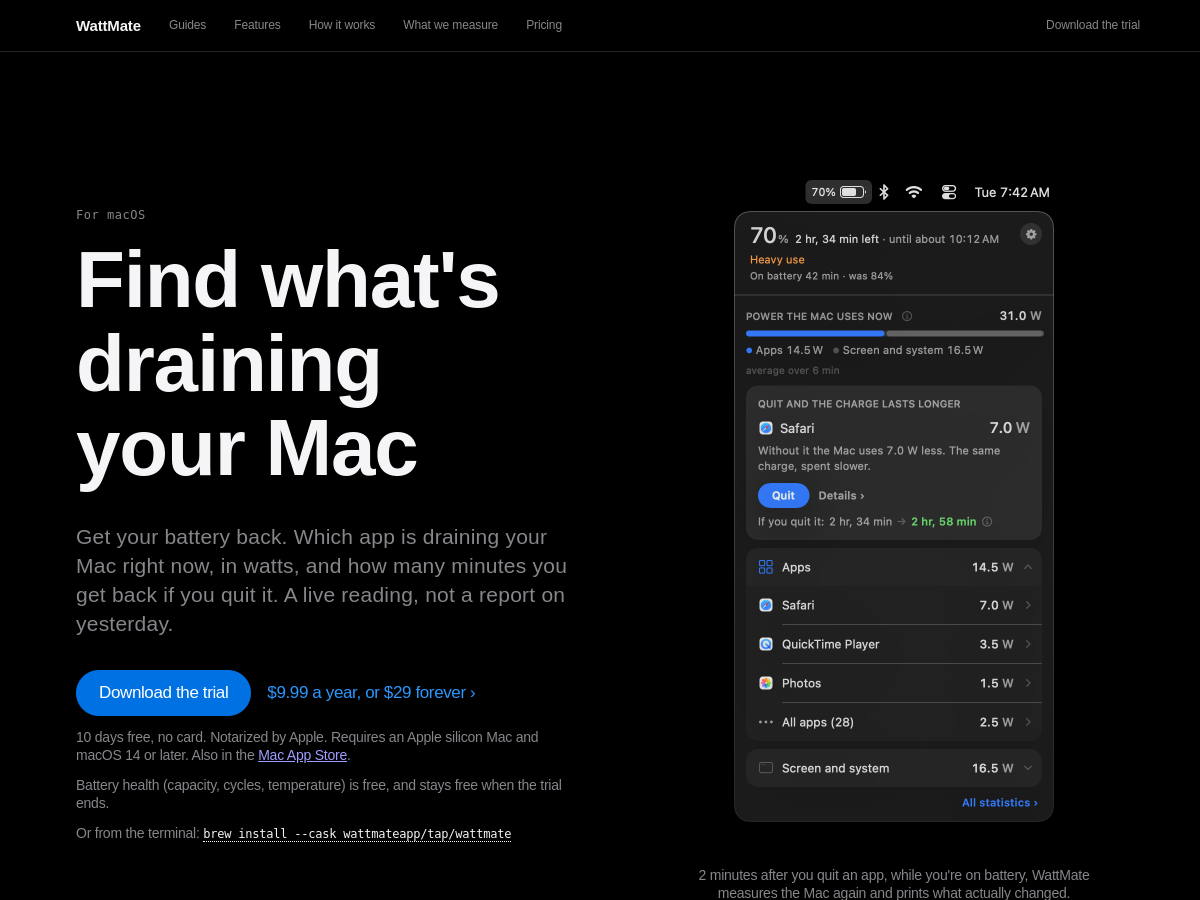
WattMate is a macOS menu bar utility that estimates which open app is consuming battery power. It reports the power use in watts and estimates the battery time saved by quitting an app, then measures again after the app is closed to show the observed change. It is built for Apple silicon Macs running macOS 14 or later.

What can WattMate do?

Live per-app power and battery estimates

Show current watts by app and estimate how many battery minutes closing an app could recover.

Group helper processes with their app

Attribute child processes to the app that started them so an app total includes its helpers.

Track overnight wake activity

Show which apps or services woke the Mac and how often and how long they kept it awake.

Measure the result after quitting an app

After a quit, compare the battery reading again and report whether the promised change was observed.

Who is WattMate for?

  • Find which Mac app is draining batteryUse live per-app watts and a time estimate to decide which app to close while running on battery.
  • Investigate overnight battery lossReview wake counts and durations to identify what kept a Mac awake overnight.
  • Check whether closing an app helpedCompare the estimate before quitting with a later measurement of the battery drain.

How much is WattMate?

Confirm pricing on website ↗
paid

Pricing details have not been provided. Check the official website for current plans, pricing, and availability.

Linking websites

Active referring domains

Jul 2026 – Nov 2026
  • Jul 2026: Data unavailable
  • Aug 2026: Data unavailable
  • Sep 2026: Data unavailable
  • Oct 2026: 77 active referring domains; queried 10/10/2026
  • Nov 2026: Data unavailable

Monthly snapshots · Missing months mean data unavailable.

What people are saying

Public experiences and discussions, with links to the originals.

HighRoad684macapps
Reddit

That makes sense. Keeping the spent watts visible, but removing the minutes as soon as the process disappears, avoids pretending that quitting it rewrites the previous window. The measured change two minutes later is the part I’d trust.


Federal-Translator60macapps
Reddit

I dragged your app into the Application folder then launched. I dont see your app running, where can I find it

Nikhilesh-Waldemacapps
Reddit

Sounds interesting, but I have a doubt how it is calculating. Let's take an example of Xcode. It is consuming the memory and Energy differently at different times, depending on the usage. So I'm sure this is same for other applications as well, like for Safari or Chrome, et cetera. So how will they exactly calculate how much energy it is consuming or it will save if you close them?

HighRoad684macapps
Reddit

Showing battery use as minutes lost makes a lot more sense to me than another percentage. How quickly does it react after you quit an app? I'd probably use that constantly to see what's quietly eating the battery.

carlosk84macapps
Reddit

One potential feature idea. Right now the status bar icon is just the battery image. If you added controls like "show percentage" then this could replace the native battery indicator.

edwoniamacapps
Reddit

It's an interesting idea, but I don't know if I'd be willing to pay $30 for it, and I don't want to pay for a year knowing I might forget later. I think if lifetime was $10 I'd bite.

Explore 5 products that share at least one second-level category.

View all 5 alternatives

Help keep this listing accurate

Found something incorrect? Suggest a correction for our editors. It’s free; no account or email is needed.