

BetterAI.toolsBetterAI.toolsSearch
Submit
FeelMyMac logo

FeelMyMac

Material-inspired trackpad haptics and optional input sounds for macOS.

Visit website
freemiumUtilities

By Leonardo Curtone (TheHighJack)

FeelMyMac official website preview
Loading website screenshot…The official website preview is loading.

What is FeelMyMac?

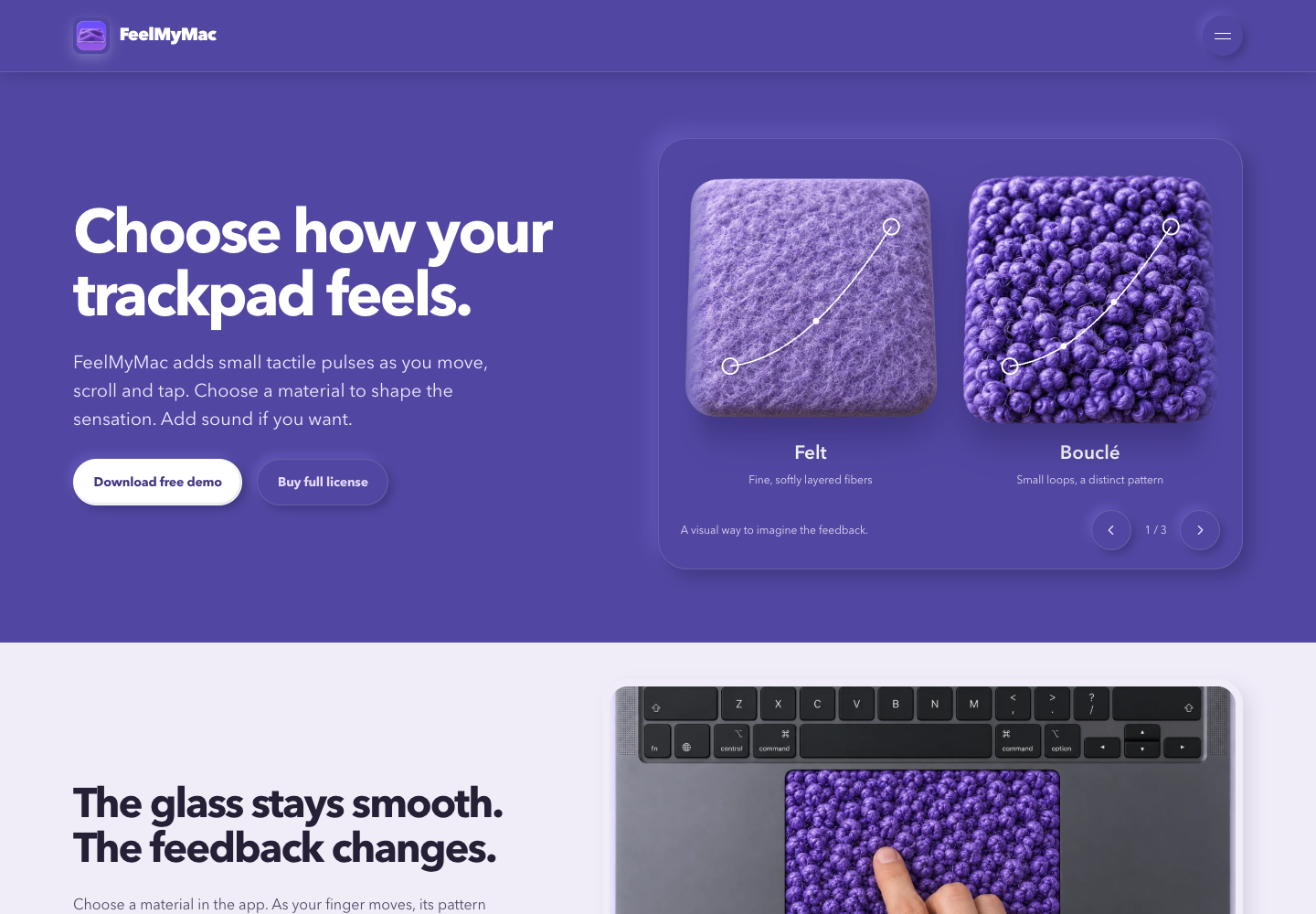
FeelMyMac is a macOS utility by Leonardo Curtone (TheHighJack) that adds material-inspired haptics to trackpad movement, two-finger scrolling, and tap-to-click. Choose from six material presets, adjust the strength, and switch feedback on for the gestures you use. Material and click sounds are optional. The full license adds keyboard sounds. FeelMyMac requires macOS 15.1 or later. Haptics are verified on Apple silicon with a compatible trackpad, including the current USB-C Magic Trackpad. The app checks device compatibility locally. Click and keyboard sounds also work on supported Intel Macs. The app processes enabled interactions on the Mac.

What can FeelMyMac do?

Six Material Profiles

Choose from Felt, Bouclé, Pebbled, Fine grit, Soft grid, and Line grid to shape movement and scrolling feedback. Adjust strength and roughness; adjustable spacing requires a full license.

Independent Input & Sound Controls

Enable movement, scrolling and tap feedback separately. Control material and click sounds independently; the full license adds audio-only keyboard sound, more profiles and tone controls.

Local Interaction Processing

Processes enabled interaction data locally on your Mac with no app usage analytics, interaction history, or diagnostics collected.

Local HTTP API (1.2.0+)

The full license includes a local HTTP API in FeelMyMac 1.2.0 or later. Native Mac apps and scripts can trigger haptic impulses and resonance. BinaryBears LLC asks developers to contact it about integration into games or other programs.

Who is FeelMyMac for?

  • Tactile Trackpad FeedbackAdd distinct, material-inspired haptic pulses to everyday pointer movement, two-finger scrolling, and taps on compatible Apple silicon Macs.
  • Audio-Only Click & Keyboard FeedbackEnable optional click sounds on Apple silicon or Intel Macs, or unlock audio-only keyboard sounds with a paid license.
  • Custom Material TuningAdjust haptic strength and roughness—plus spacing, tone, and resonance on a full license—to match your preferred trackpad feel.
  • Script & Native App TriggersUse FeelMyMac 1.2.0 or later with a full license to try haptic impulses and resonance from a local script. Contact BinaryBears LLC before integrating it into a game or program.

How much is FeelMyMac?

View official pricing ↗
Proprietary license source ↗freemium
  • Free demo$0

    Use Felt and Bouclé, movement, scrolling and tap feedback, and the Melodic sound profile offline with no time limit. No account, payment card or activation required.

  • Full license$4.99 USD one-time

    Unlock all six materials, all sound profiles, adjustable spacing and tone, keyboard sound, resonance and the local HTTP API.

BinaryBears LLC sells the full license as a one-time purchase with future updates included. Applicable taxes are calculated at checkout. One Mac can be active at a time. After online activation, each successful license check allows up to 30 days of offline use.

Frequently asked questions

Which Macs and trackpads are compatible with FeelMyMac?

FeelMyMac requires macOS 15.1 or later. Verified haptics and material feedback are supported only on Apple silicon Macs with a locally verified compatible trackpad, such as the current USB-C Magic Trackpad; other trackpads are checked locally. Independent click and keyboard sounds also support Intel Macs, though keyboard sound requires a paid license.

How much does FeelMyMac cost, and what is included in the free demo vs. the full license?

The free offline demo includes Felt, Bouclé, and Melodic sound with no time limit and no account, card, or activation required. The full perpetual license is a single $4.99 USD payment (excluding tax) with future updates included, and adds all six materials, all sound profiles, tone and spacing controls, audio-only keyboard sound, resonance, and the local HTTP API.

Can FeelMyMac be used offline?

Yes, with different rules for each tier. The free demo runs offline without activation or time limits. A paid license activates online using an emailed key, performs periodic validation, and continues working offline for up to 30 days after a successful validation. If valid authorization cannot be renewed before it expires, premium features are disabled and the app returns to the free demo with preferences preserved.

Does FeelMyMac add haptics to the keyboard?

No. Keyboard sound in FeelMyMac is audio-only and requires a paid license; haptics apply to compatible trackpad interactions.

How do I install FeelMyMac and what permissions does it need?

Download the DMG, drag FeelMyMac into your Applications folder, open it, and select a material. You only need to grant macOS Accessibility permission if an enabled interaction requires it.

What data does FeelMyMac collect, and how does the local HTTP API work?

FeelMyMac processes enabled interaction data locally on your Mac and does not collect app usage analytics, interaction history, or diagnostics. With a paid license and FeelMyMac 1.2.0+, the local HTTP API lets native apps or scripts trigger impulses and resonance; integrating FeelMyMac into games or programs requires contacting BinaryBears LLC.

Linking websites

Active referring domains

Jul 2026 – Nov 2026
  • Jul 2026: Data unavailable
  • Aug 2026: Data unavailable
  • Sep 2026: Data unavailable
  • Oct 2026: 28 active referring domains; queried 10/10/2026
  • Nov 2026: Data unavailable

Monthly snapshots · Missing months mean data unavailable.

What people are saying

Public experiences and discussions, with links to the originals.

shwetankmacapps
Reddit

Very original idea, congrats on the launch! I think this app could also be useful to people with disabilities, if you want to go that way. For example, people with visual disabilties - they could have specific textures or sounds if the cursor is at the corner or some other specific place, in order for them to re-orient the cursor. Or the closer their cursor comes to the dock, the more the haptic/audio feedback becomes etc.


seasaltrocksmacapps
Reddit

No support for the lightning magic trackpad?

Glittering-Section74macapps
Reddit

Honestly that’s a really unique idea. I didn’t even realize that the touchpad has haptic. I’m surprised that Apple doesn’t use it or at least I didn’t notice that. One thing I noticed is when I do the 3-finger gesture, there are no haptics. Maybe that’s a demo version limitation. Anyway really good work.

TheLeeWay_macapps
Reddit

I'm loving the influx of Mac apps using the creativity and engineering of the Mac's trackpad! Although I wouldn't really use this apart from maybe testing it out or indulging the senses, it's still really cool to see them.

liojiolmacapps
Reddit

Stupid/Awesome app, purchased to support. One suggestion/request: a "reset to defaults" button for the different styles.

soupifiedmacapps
Reddit

You should allow the demo to trial all surfaces and place limits elsewhere if you really need to. I'm not impressed enough by the two offered in the trial to spring for a license. 😄

Explore 5 products that share at least one second-level category.

View all 5 alternatives

Help keep this listing accurate

Found something incorrect? Suggest a correction for our editors. It’s free; no account or email is needed.